Thank you for choosing WebKraft.Net as your Internet Provider!
WebKraft.Net Dial-up Setup:
Here we will show you how to set up your Dial up access.
No matter what Windows operating system you have this method will work.
Click on the Start button and click on Control Panel. With Windows XP you may have two different views of your Control Panel.
Category View
Click on Network and Internet Connections
In the new window click on Internet Options
Classic View
Click on Internet Options
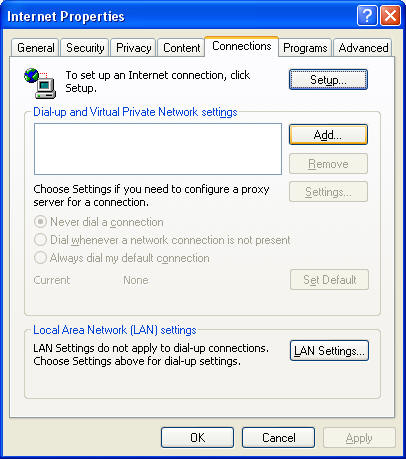
Click on the Connections Tab up top and click on Add
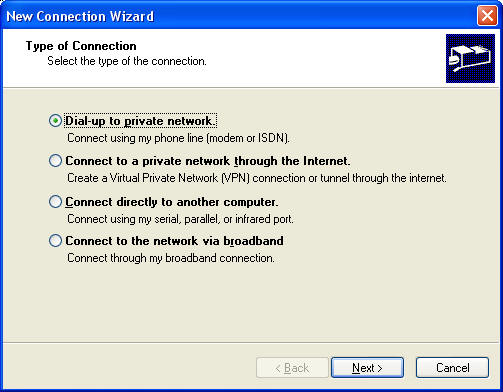
Select Dial-up to Private Network and click Next
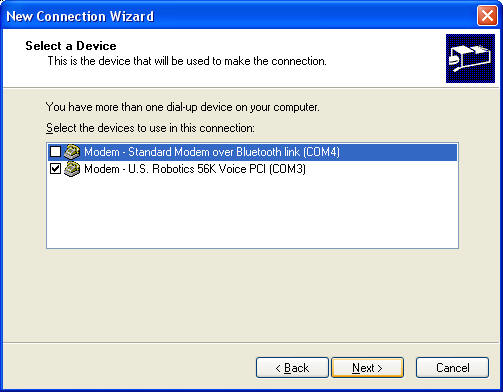
If you have more than one way to connect be sure to select your Modem from the list and put a check in the box.
Most people will have only one modem and no other choices so this window may not appear.
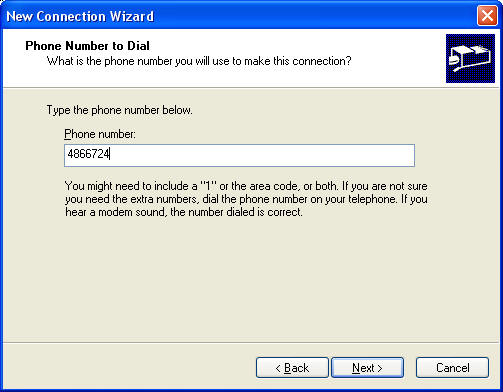
Enter the number for the connection without spaces or dashes. Click Next
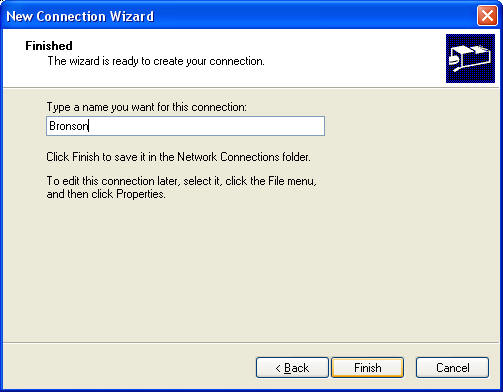
Name the connection. I like to use the city it calls so that you could have more than one and you would know where you are calling just by the name.
Click Finish
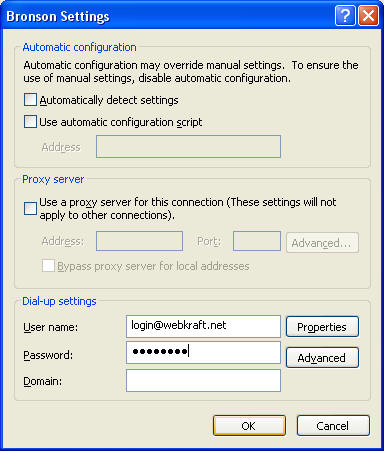
Enter your login name with the webkraft.net part as well. Type in your password. Don't worry about the dots or how many there are showing.
Click OK.
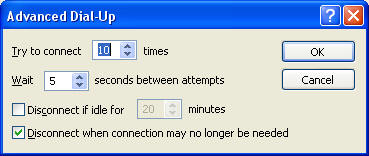
IF you click the Advanced button from the next to your login name you will see this window. You can modify the number of tries and time between them here. Be sure to check the Disconnect when connection may no longer be needed and DO NOT CHECK the Disconnect if idle for...
Click OK in the Advanced Dial-Up window.
Click OK in the Settings window.
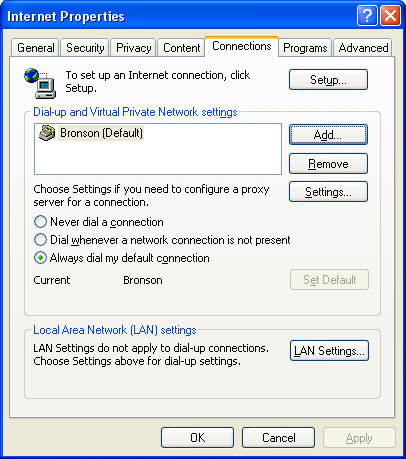
Be sure the Always dial my default connection is selected and if you have more than one connection visible choose the one you want to be Default and set is as default if you need to. If you have only one connection is should show Default next to it. If you have a high speed connection through your network connection this is where you would click either Never dial or Dial when the network is not connected. Doing so tells your computer to use the network connection all the time or only if it is available, otherwise it will use the default dial up connection.
Click OK
Close the Control Panel window.
If you open any program that needs to access the Internet the dial up connection window for your default connection should open automatically. If it does not you may need to go to the Control Panel again and click on Network Connections and open your Dial-Up connection manually to connect or disconnect. You can add a shortcut to this connection by right clicking on it and clicking on Create Shortcut
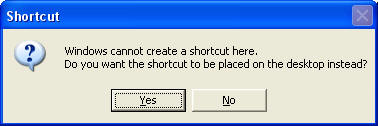
When you see this window click Yes and a shortcut will be put on your desktop for manual access to the connection.
That should be it!!!
Home | Internet | Support | Sales | Service
 |
352-529-0400 Fax 352-529-0401 Copyright © 1994-2005 WebKraft.Net |